
AE Artist Editor Mac
Built For Nightlife Editors & DJs

Deliver the DJ clips before the club wakes up.

Artist Editor is a multi-camera Mac video editor built for nightlife. AI detects the drops, locks onto the DJ, cuts between your cameras on beat, writes captions, and exports YouTube tracklists with song timestamps.

Turn a 2-hour set into finished clips in about 10 minutes.*
*Actual time depends on video length, number of cameras, and your Mac speed.

Apple Silicon Native (M1/M2/M3/M4) Full Multi-Camera Editor AI Face & DJ Tracking YouTube Tracklist & Timestamps
v1.0 Beta • macOS 13+ Apple Silicon Native
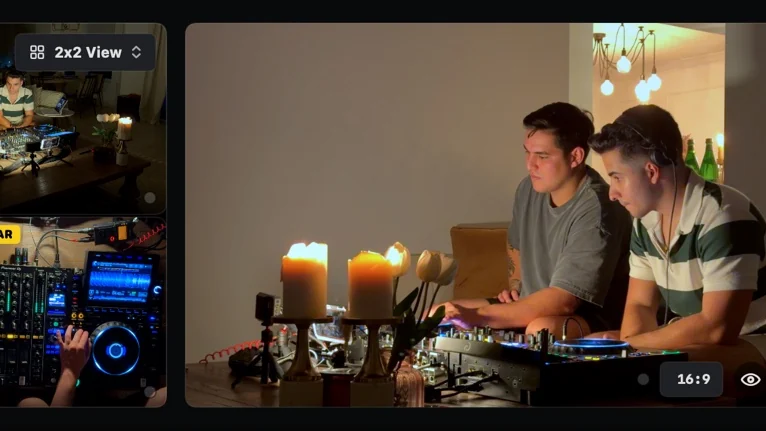
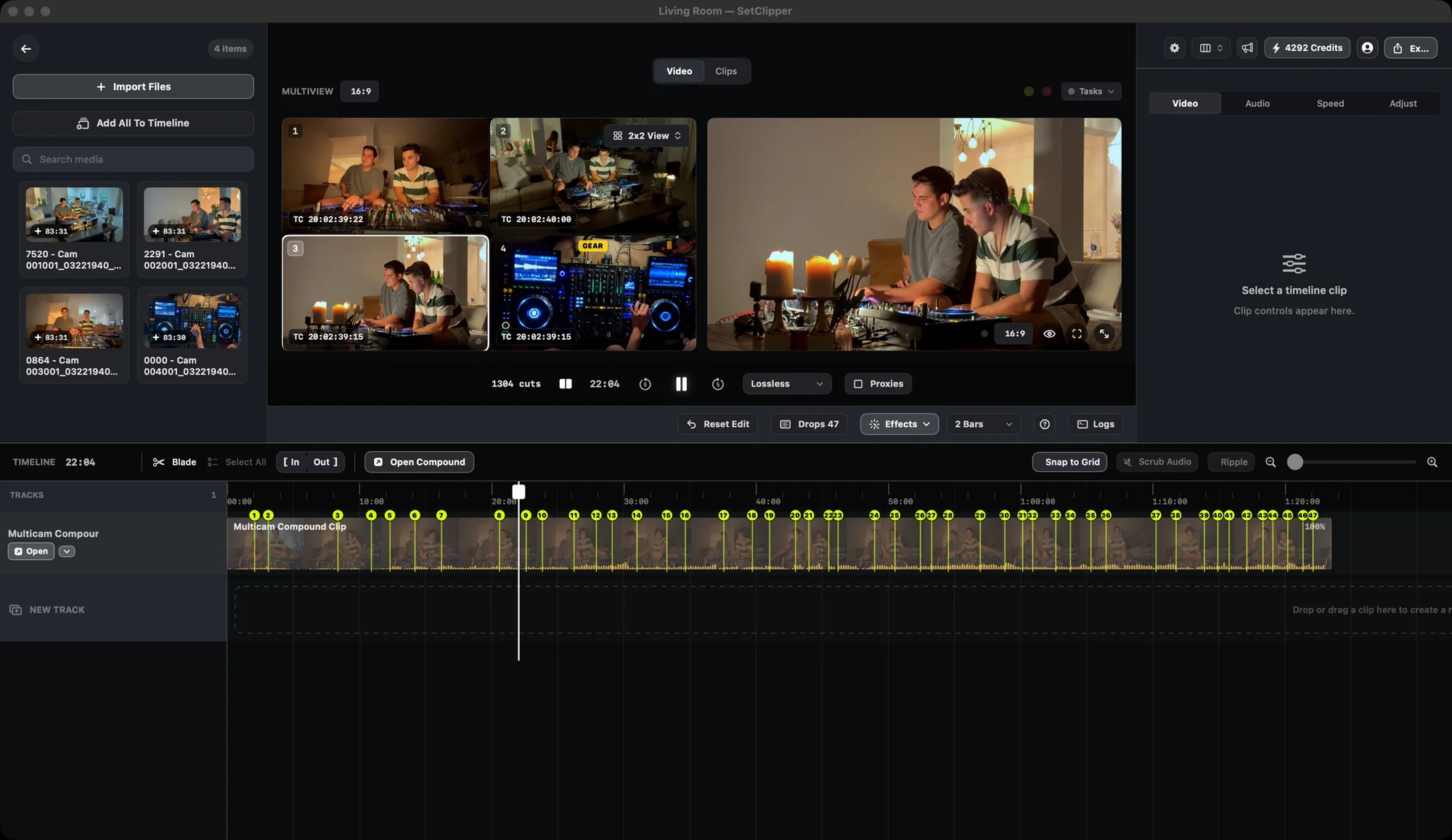
Artist Editor real Mac desktop multi-camera video editor interface
AI Multi-Camera Sync
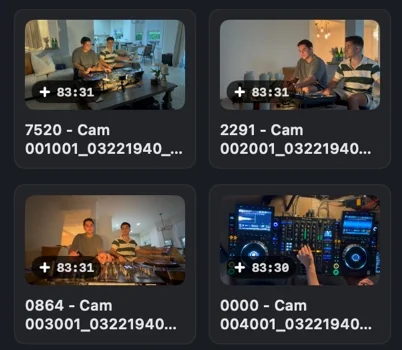
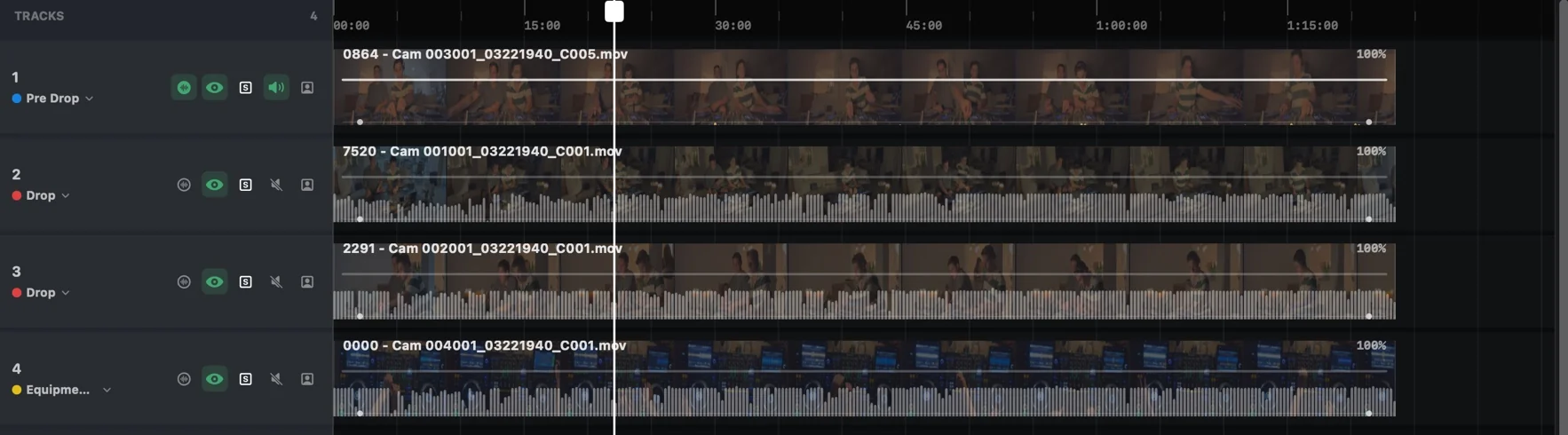
4 Cameras • 1,305 Cuts Synced
AI Drop Detection
Peak Drop Found • Beat Aligned
The Real Problem

The club ended at 3 AM. The DJ wants clips by noon.

If you have ever edited a multi-camera club set, you already know the grind:

DJs need the video as soon as possible

Views and hype peak the morning right after the party. If you deliver 3 days later, the moment is gone.

Multi-camera editing takes too much time

Syncing 4 cameras, switching angles, and cutting back and forth manually burns 4 to 6 hours easily.

The best moments are buried in hours of footage

Scrubbing through hours of footage just to find where the bass dropped and the crowd went crazy is exhausting.

Figuring out the song names takes forever

DJs want a full tracklist with timestamps for YouTube. Shazaming 30 different tracks by hand is pure pain.

Captions take forever to sync and style

Writing captions, formatting vertical text, and timing subtitles for TikTok and Reels takes hours you do not have.

Artist Editor fixes this

Let AI find the drops, cut between the cameras, track the DJ, name the songs, and generate captions while you stay in complete control.

The AI Features

A real video editor powered by AI.

Artist Editor is an actual desktop video editor. You have a full interactive timeline to scrub, trim, change camera angles, and fine-tune every cut.

AI Drop Detection

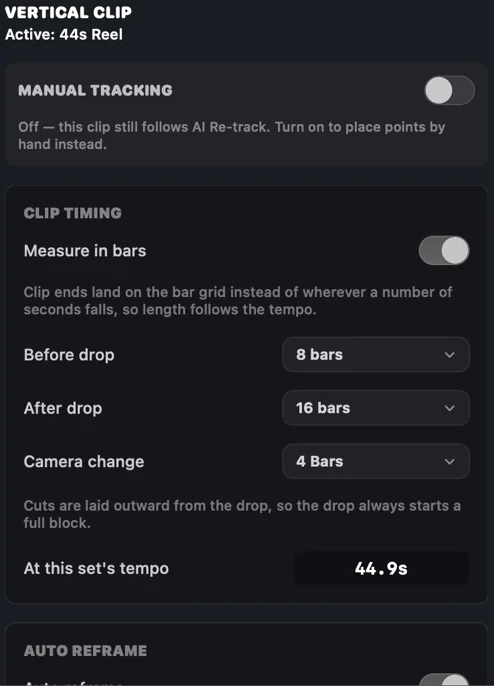
AI scans the set audio, detects the build-ups, and highlights every bass drop automatically on the timeline.

Smart Audio

AI Face & DJ Tracking

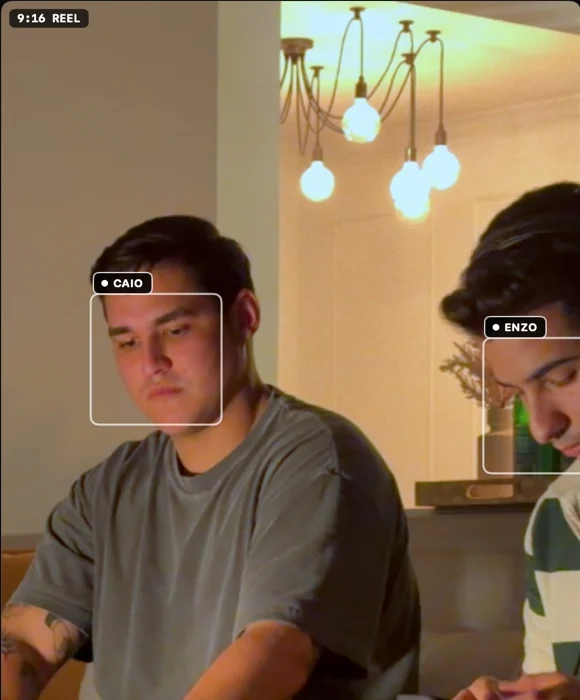
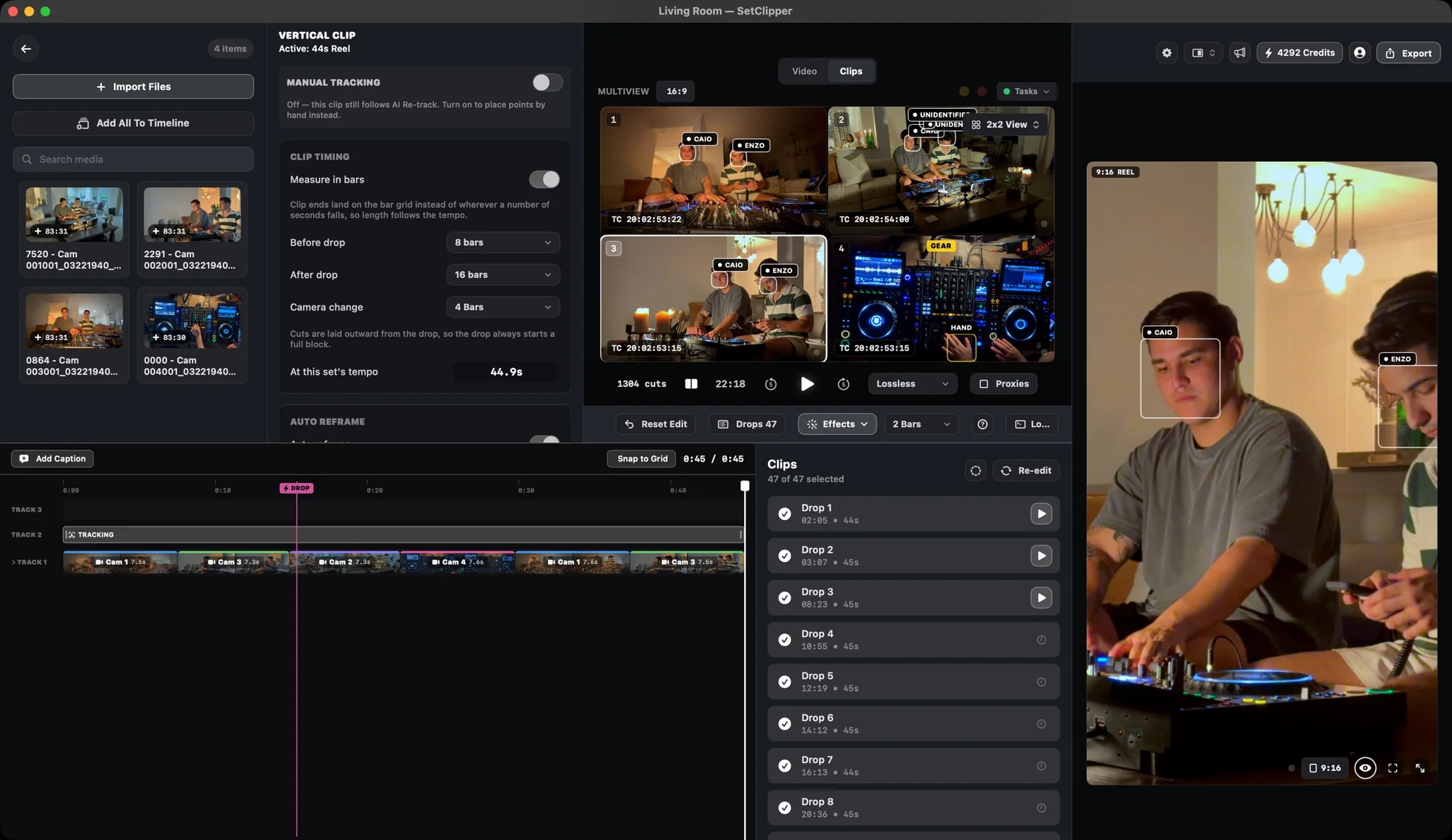
AI detects the DJ and tracks their movement. When creating vertical 9:16 clips, the DJ stays centered automatically.

9:16 Auto-Crop

AI Multi-Cam Editing

AI cuts between the DJ booth, crowd reaction shots, and stage angles on the beat. You can override or change any cut in one click.

DJ + Crowd Cuts

AI Song Detection & Tracklists

Identifies every song played in the set. Exports ready-to-paste timestamps for YouTube descriptions (e.g. 04:12 - Track Name).

Shazam for DJ Sets

Full 1-Hour Sets & Short Reels

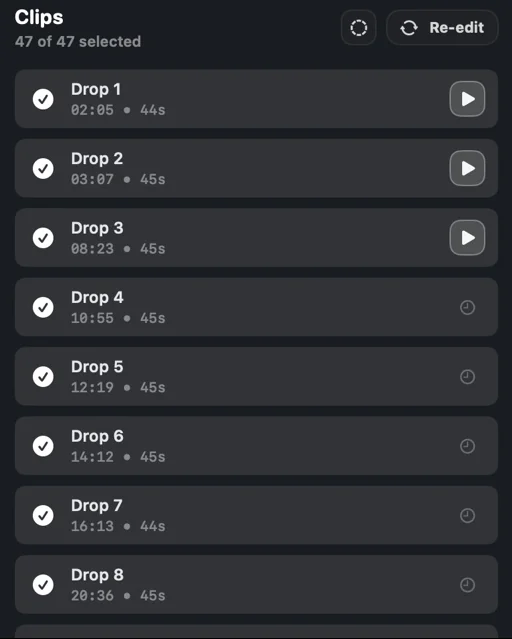
Export the full continuous 1-hour set for YouTube, or let AI automatically chop the footage into multiple punchy 30-second vertical reels.

YouTube + TikTok

AI Captions

Generates clean animated subtitles with track IDs and crowd hooks timed to the audio. No need to re-type words in another app.

Auto-Synced

Direct Social Auto-Posting & Virality Scores

Publish straight to TikTok, Instagram Reels, and YouTube Shorts in 1 click. AI grades each clip with a virality score so you know what will pop.

1-Click Publish

AI Thumbnail Generator & Virality Rating

AI extracts the most electrifying crowd and DJ climax frames, adds bold text, and rates thumbnail click-through potential automatically.

Thumbnail AI

Complete Editing Timeline

It is a real editor. Scrub your clips, trim shots, change camera angles, tweak the tracking box, and adjust speed anytime.

Total Control

Apple Silicon Native

Built specifically for Mac with M1, M2, M3, and M4 chips. Fast exports in ProRes or 4K MP4 straight from your original camera files.

M1 / M2 / M3 / M4
How It Works

From memory cards to finished video in 4 steps.

01

Drop in your cameras and audio

Plug in your SD cards. Add your camera angles (DJ booth, crowd, stage) and the master audio file.

02

AI finds the drops and cuts the cameras

AI detects beat drops, switches between angles automatically, tracks the DJ in 9:16, and identifies the songs.

03

Review and tweak anything in real time

Want a different camera angle for a drop? Just click it in the Multiview. You have total creative control to fine-tune every frame.

04

Export full sets & vertical reels

Export the full 1-hour show for YouTube with the song timestamp list, or export sharp vertical clips for social media.

AI Face and DJ Tracking in 9:16 vertical
Artist Editor 4-camera Multiview and Timeline
Comparison

Editing by hand vs. Artist Editor

Task The Old Way (Manual) Artist Editor
Turnaround Time 4 to 6 hours (afternoon or next day) ~10 minutes (deliver before noon)
Finding Beat Drops Scrubbing audio by hand for hours AI Drop Detection finds every drop automatically
Camera Angles Manual cuts on 4 different video tracks AI Multi-Cam cuts between DJ and crowd on beat
Framing the DJ Keyframing vertical 9:16 shots by hand AI Face Tracking keeps the DJ centered
YouTube Tracklists Shazaming 30 songs one by one AI Song Detection exports timestamps ready to paste
Output Formats Manual export of one clip at a time Full 1-hour YouTube set + multiple short social clips
Plans From $29/mo • AI Credits • Auto-Post to Socials

Ready to deliver club clips 10x faster?

Choose from our Creator ($29), Pro Commercial ($49), or Studio ($89) plans. Includes AI drop detection, auto-posting to Instagram & TikTok, thumbnail generation, and YouTube tracklists.

View Plans & Pricing → Customer Account / Login

Optimized for Apple Silicon Macs (M1/M2/M3/M4). 100% secure checkout powered by Stripe.