Cuts that land on the music
Camera changes follow the beat of your set, so the edit feels played, not timed.

Everything you need to go from raw cameras to reels and a finished timeline.
Cuts on the beat, reels ready to post, and a timeline you can still change.
Camera changes follow the beat of your set, so the edit feels played, not timed.
Auto Edit moves between your cameras for you, so the whole night is on the timeline.
Close-up cameras are framed on the DJ, and you can adjust the framing.
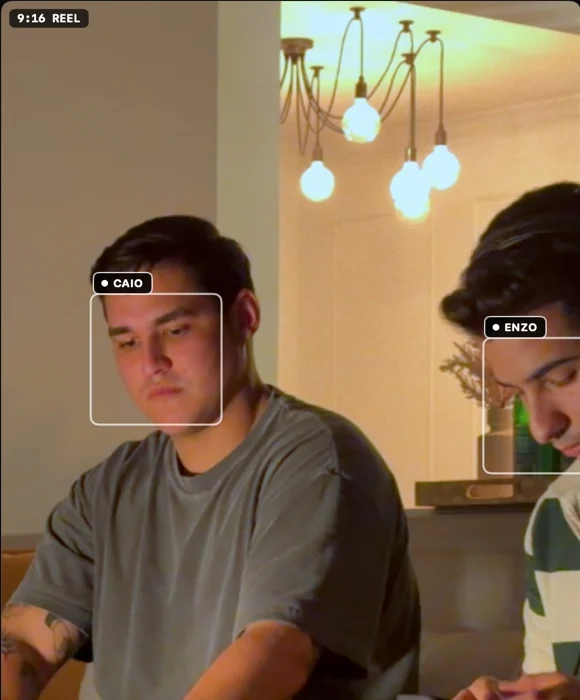
Swap a camera, adjust the crop, then re-edit. Nothing is locked in.
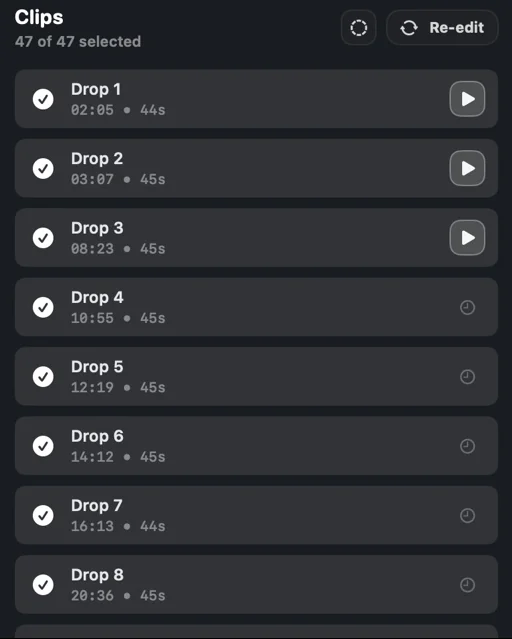
Auto-edit puts the whole set on the timeline. After that, everything is yours to change, with the tools you'd expect.
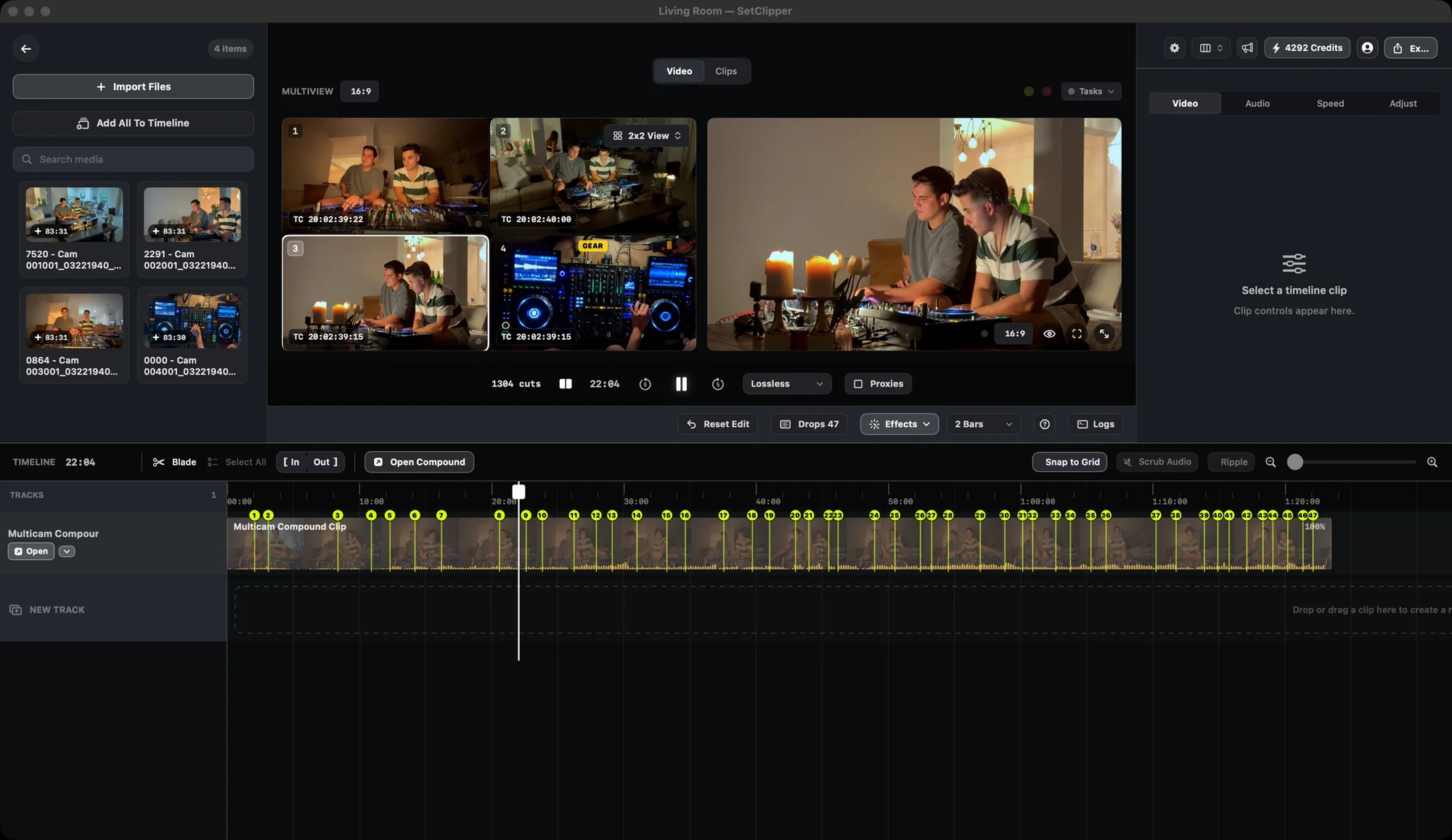
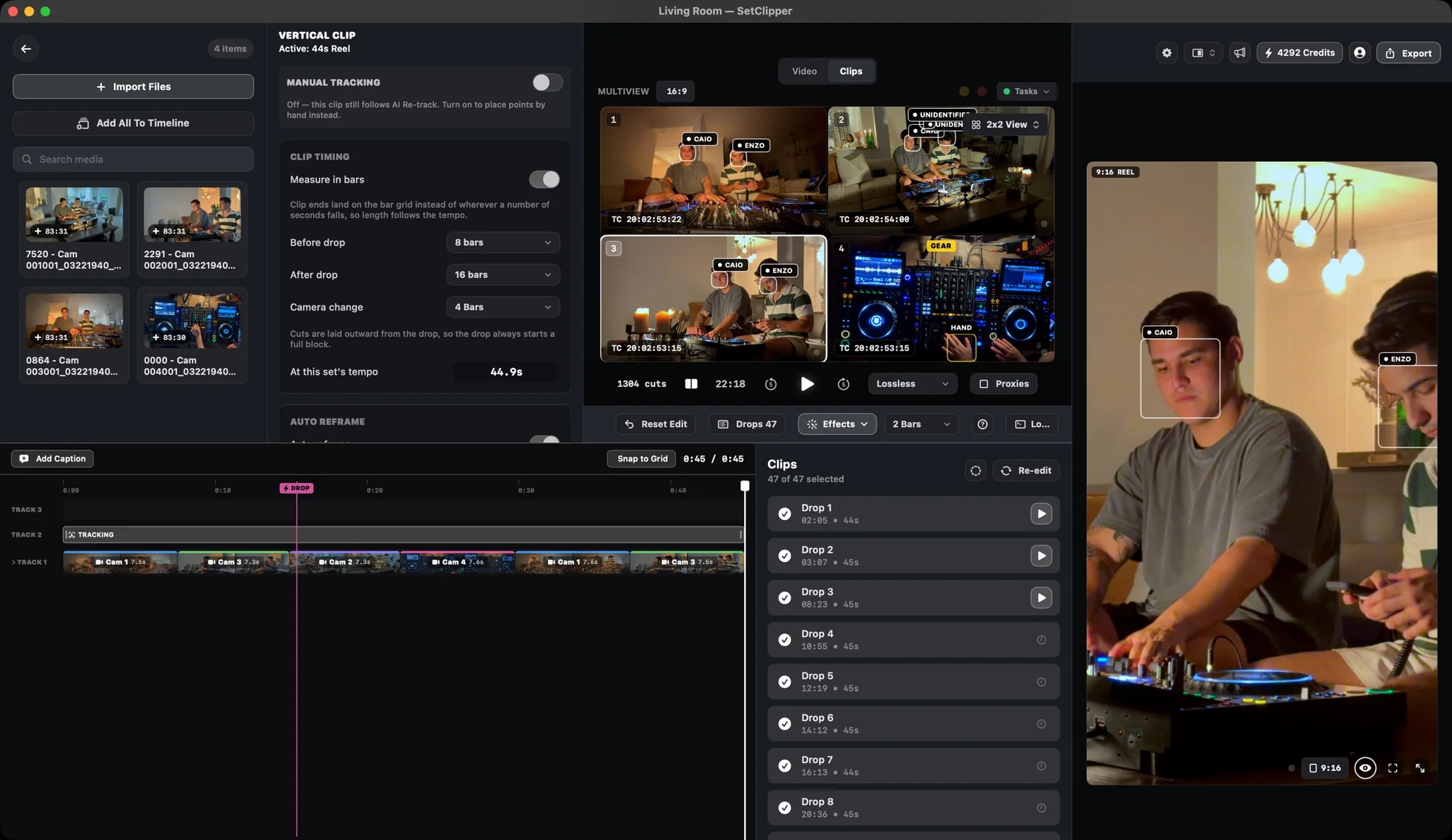
The edit isn't trapped in Setclipper. Export a timeline and keep working in your NLE with the cuts and markers in place.
 Final Cut ProTimeline XML
 DaVinci ResolveTimeline XML
 Adobe Premiere ProTimeline XML
Or skip the NLE: render the full set or every clip straight from Setclipper in H.264, HEVC or ProRes. Final Cut Pro, DaVinci Resolve and Adobe Premiere Pro are trademarks of their owners; Setclipper is not affiliated with or endorsed by Apple, Blackmagic Design or Adobe.
Setclipper is a native Mac app, built around how DJ sets are actually shot and edited.
Free trial. Card required. Renews automatically after the trial until you cancel; cancel any time in Account > Manage Billing.
A separate product from the Mac editor. Paste a link or upload the finished video and it finds the drops, exports horizontal clips and converts any of them to vertical.
Works with Google Drive and Dropbox links and direct uploads. Web processing happens in the cloud; the Mac app edits on your machine.
Not for the Mac app. Cutting and rendering all run on your computer. The Web Clipper is different by design: you give it a link or a finished video, it is processed on our servers and the source video is deleted after 7 days, and rendered clips after 30 days. See the Privacy Policy.
A Mac with Apple Silicon (M1 or newer) running macOS 14 or newer.
No, and it isn't meant to. It does the long first pass, then you finish in Setclipper or export the timeline to Premiere Pro or DaVinci Resolve.
The first full edit is. Drops, beat-based cuts and vertical reels start without you. You then review and change anything you like.
Seven days on the plan you pick. A card is required to start, and you can cancel any time from your account before it ends.
Yes, that is what Web Clipper is for. Paste a Google Drive or Dropbox link, or upload the video.
Start with a free week of the Mac app, or clip a finished set on the web.
Free trial. Card required. Renews automatically after the trial until you cancel; cancel any time in Account > Manage Billing.