

Native macOS multicam editor for DJ sets

Raw cameras in. A finished multicam edit out.

Drop in every angle from the night. Setclipper builds a multicam timeline from them, finds the drops, cuts on the beat the way an editor would, makes vertical reels, and hands you a real timeline to finish.

7-day trial. Card required. Renews automatically after the trial until you cancel; cancel any time in Account > Manage Billing.

Multicam editor for DJ sets Timeline XML export for Premiere Pro, DaVinci Resolve & Final Cut Pro Edits and renders on your Mac
Hands your edit toDaVinci ResolveAdobe Premiere ProFinal Cut Pro
One set in, a feed out

One long video. Dozens of reels.

Every drop becomes a vertical 9:16 clip, ready to post.

Example set · 1:23:00
+40more reels (example)
Two ways in

Whatever you have, we got you.

Two different tools for two different starting points. Pick yours.

Setclipper for Mac

Raw footage in. A full edit and the clips out.

Drop in every camera from the night. Press Auto Edit and watch it cut the whole set, suggest the drops and make a reel for each one.

Auto EditClip itAuto Reformat
 
  • Builds a multicam timeline from your angles
  • Cuts the whole set on the beat, then every drop clip
  • Send the timeline to Premiere, DaVinci or Final Cut Pro (Pro and Studio)
Start 7-day trial

Card required. Renews automatically after the trial. See Pricing.

Web Clipper

A finished video in. Clips out.

Already edited the set? Paste a link or upload it. No raw footage, no editing: it finds the drops and returns clips.

Find dropsClip itAuto Reformat
 
  • Nothing to install, it runs in your browser
  • See pricing for plans
Try the web clipper
Straight from the app

Press Auto Edit. Watch it cut.

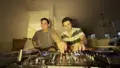
This is the real animation Setclipper plays when you press Auto Edit: the compound clip opens into its cameras, and the edit is revealed cut by cut. The edit itself is already done the moment it starts. The animation is just the show.

Recorded from the Mac Editor.

How it works

From SD cards to a finished edit, step by step.

This is what happens to a real night of footage. The same steps a human editor takes, done for you as a first pass.

Add the clips and Setclipper builds the timeline.

Nothing to pre-sort or rename. Your files are never modified.

Multi-cameraOriginal files, untouched
Your angles on one timeline.

The cameras sit together in one multicam clip, so you can cut between them.

Multicam clipGear cam included
Drops found and marked on the timeline.

Each number on the timeline is a drop. Setclipper measures the set's tempo and uses it, with the drops, for every cut that follows.

Tempo read from the audioBeatDrops marked
Cuts follow the music, not a timer.

Cuts land on the beat and are laid outward from each drop so it starts a full block. Every length is yours to change.

Cuts on the beatDrop-awareLengths you can change
A 9:16 vertical reel frame with the DJ in view (example)
A vertical reel for the clips you choose.

Vertical conversion is per clip and needs a plan that includes it (see pricing). The crop follows the DJ on close-up cameras; wide, gear and handheld cameras hold a fixed crop you can place yourself.

Per-clip conversionAdjust any crop by handExample (illustration): 47 clips queued
Full renderThe whole set as one finished video.
The clipsEach cut exported on its own.
Timeline XMLSend the cut to Premiere Pro, DaVinci Resolve or Final Cut Pro.
Finish it properly.

Choose the output you need.

XML export
The thinking behind the cuts

Built around how editors actually think.

Most auto-editors cut on a timer. Setclipper cuts on the music: the beat, the build, the drop, and where each camera is placed.

Rule 1

Beats, not seconds

Clip lengths and camera changes follow the music, so every cut lands on the beat at the set's own tempo.

Rule 2

The drop starts a full block

Cuts are laid outward from the drop, never inward to it, so the drop opens a clean phrase. Before and after lengths are yours.

Rule 3

Every camera has a job

Tag each camera: Pre Drop, Drop, Crowd or Equipment.

Rule 4

The crop is aimed at the DJ

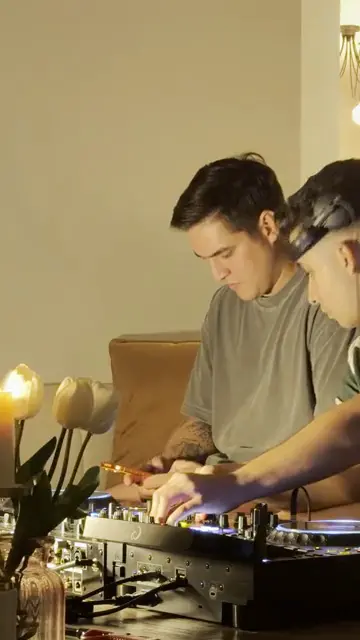
On close-up cameras the vertical crop is aimed at the DJ, and you can adjust it. Wide cameras stay centred, or at the point you set with Calibrate.

A 9:16 vertical frame with the DJ in view (example)
Rule 5

Smooth, not shaky

Pan moves between cuts use the same smoothing in the preview and in the export, so what you watch is exactly what you render.

Rule 6

You have the last word

Swap a camera, adjust the crop, change the cut lengths, then re-edit. Nothing is locked in.

Not a one-click toy

A real editor, not a one-click toy.

Auto-edit puts the whole set on the timeline. After that, everything is yours to change, with the tools you'd expect.

SpeedChange the speed of each clip.
Audio toolsMute, solo and process the set's audio.
Real editing toolsBlade, ripple, snap to grid, in and out points.
Compound clipsOpen the multicam clip to fix a single angle.
Works with your editor

Take it into the app you already use.

The edit isn't trapped in Setclipper. Export a timeline and keep working in your NLE with the cuts and markers in place.

DaVinci ResolveDaVinci ResolveTimeline XML (Pro and Studio)
Adobe Premiere ProAdobe Premiere ProTimeline XML (Pro and Studio)
Final Cut ProFinal Cut ProTimeline XML (FCPXML 1.8, tested in Final Cut Pro 12.3), see pricing for plans
Every cut, pointing at your original camera files
Source timecode, so relinking just works
A marker on every drop
The set's audio on its own track
Motion and slow zooms

Or skip the NLE: render the full set or every clip straight from Setclipper in H.264, HEVC or ProRes. DaVinci Resolve, Adobe Premiere Pro and Final Cut Pro are trademarks of their owners; Setclipper is not affiliated with or endorsed by Blackmagic Design, Adobe or Apple.

Built the slow way

Built for people who film DJ sets.

Setclipper is a native Mac app, built around how DJ sets are actually shot and edited.

Every rule you saw above, beats before seconds, the drop that opens a clean block, a gear camera with its own job, exists because a real edit looked wrong without it.

7-day trial. Card required. Renews automatically after the trial until you cancel; cancel any time in Account > Manage Billing.

Edits on your MacEditing and rendering run on your Mac, Apple Silicon native, macOS 14 or newer. AI features send frames to our servers and Google (Gemini). Tracklist sends short audio clips or audio fingerprints to the identification services named in the Privacy Policy.
Web Clipper

Already have the finished set? Clip it in your browser.

No raw cameras? No problem. Give it the finished video and it finds the moments worth posting.

Paste a link or upload
drive.google.com/file/d/…

Add your set

A Google Drive link, or upload the video file.

Analyzing the set
Finding drops · building clips

It finds the drops

The set is analyzed for its biggest moments and cut into horizontal clips.

Pick your clips

Convert any clip to vertical 9:16.

Ready
drop-12-vertical.mp4
drop-12-horizontal.mp4

Download and post

Take the files, post them, and tag the night.

Trial

  • Try it on your own set. Card required; see Pricing.

Once you pay

  • See pricing for plan details

Works with Google Drive links and direct uploads. Web processing happens in the cloud; the Mac app edits on your machine, and some of its steps send face images and whole video frames to our servers and on to Google (Gemini), our AI provider. See the Privacy Policy.

Plans

Try Setclipper for 7 days.

Every plan includes the Mac Editor. Card required. Renews automatically after the trial until you cancel; cancel any time in Account > Manage Billing.

Starter

$39 /mo billed yearly
  • Multicam timeline from your angles
  • Beat and drop cutting
  • Web Clipper on the same credit balance
  • 1,000 credits a month
Start 7-day trial

Pro

$69 /mo billed yearly
  • Everything in Starter
  • Vertical crop (9:16)
  • Timeline XML export for Premiere Pro, DaVinci Resolve and Final Cut Pro
  • 3,000 credits a month
Start 7-day trial

Studio

$119 /mo billed yearly
  • Everything in Pro
  • Tracklist identification (Mac, experimental): uses credits
  • 8,000 credits a month
Start 7-day trial

Monthly billing is available at $49, $89 and $149. See the full plan details on the pricing page.

Questions

The things people ask first.

Do I have to upload my footage?

Cutting and rendering run on your Mac. Some steps send face images and whole video frames from your Mac to our servers and on to Google (Gemini), our AI provider, to find or match people. Those frames can show other people in the shot, including audience members. We use them only to return the answer and our code does not store them; Google handles what it receives under its own terms for the service we use. The Web Clipper is different by design: you give it a link or a finished video, it is processed on our servers and the source video is deleted no later than 7 days after a job is created, and rendered clips after 30 days. See the Privacy Policy.

What Mac do I need?

A Mac with Apple Silicon (M1 or newer) running macOS 14 or newer.

Will it replace my editing software?

No, and it isn't meant to. It does the long first pass, then you finish in Setclipper or export the timeline to Premiere Pro, DaVinci Resolve or Final Cut Pro.

Is the edit really automatic?

The first full edit is. Drops, beat-based cuts and vertical reels start without you. You then review and change anything you like.

What does the 7-day trial include?

Your 7-day trial needs a card and renews automatically after the trial until you cancel. Seven days on the plan you pick. A card is required to start, and you can cancel any time from your account before it ends.

Can I use it with a set that is already finished?

Yes, that is what Web Clipper is for. Paste a Google Drive link, or upload the video.

Stop editing sets the slow way.

Start a 7-day trial of the Mac app, or clip a finished set on the web.

7-day trial. Card required. Renews automatically after the trial until you cancel; cancel any time in Account > Manage Billing.